
A workflow audit should come before AI automation because manual data entry is rarely just a typing problem. It is usually a sign that data enters the business in one place, decisions happen somewhere else, and the system of record is disconnected from the people doing the work.
Skipping the audit is how businesses end up automating the wrong step.
They buy a tool that extracts text from emails, but the real problem is that requests arrive with missing information. They build a chatbot, but the real problem is that no one knows which department owns the next step. They connect two systems, but the field mapping is wrong and staff spend even more time fixing bad records.
AI automation works best when the workflow is clear enough to supervise.
For example, if two team members each spend five hours a week copying invoice, job, or customer data between systems, that is 10 hours a week before errors, delays, and follow-up questions. A workflow audit should show whether the first fix is a cleaner intake form, a direct integration, a review queue, or AI extraction with human approval.
Should you audit the workflow yourself or hire Somnio?
You can audit a simple manual data entry workflow yourself when one team owns it, the source of truth is clear, and the process has few exceptions. Hire Somnio when the workflow crosses systems or teams, relies on undocumented decisions, handles sensitive data, or needs an implementation-ready scope. Somnio Tech Solutions runs fixed-scope workflow audits for small businesses that need to eliminate manual data entry without buying the wrong AI tool or automating a broken process.
| Decision | Do it yourself | Somnio-led workflow audit |
|---|---|---|
| Workflow scope | Best for one team, one system of record, and a known owner | Best for cross-system handoffs, unclear ownership, exceptions, or sensitive data |
| Audit output | An internal map and list of possible improvements | A workflow map, top 3 automation opportunities, ROI estimates, and implementation roadmap |
| Next step | Research and scope the selected tool or integration internally | Review recommendations in a 60-minute debrief, then approve implementation separately |
Manual data entry is usually a workflow symptom
When staff copy information between emails, spreadsheets, CRMs, accounting systems, scheduling tools, and internal documents, the obvious pain is typing.
But the deeper problem is usually one of these:
- The business does not have a structured intake process.
- Different teams use different systems as the source of truth.
- Required fields are not validated before work starts.
- Exceptions live in people’s heads instead of documented rules.
- Reports are assembled manually because operational data is scattered.
- No one owns the handoff between one system and the next.
AI can help with extraction, summarization, and classification. It cannot magically fix ownership, rules, or data quality.
That is why a workflow audit matters.
Estimate the cost of the current process
Before discussing tools, estimate what the manual process costs today.
You do not need a perfect financial model. You need enough information to decide whether automation is worth pursuing.
Start with these questions:
- How many people touch the workflow?
- How often does the workflow happen each week or month?
- How many minutes are spent copying, checking, chasing, or correcting data?
- What happens when a record is wrong, late, duplicated, or missing?
- Which delays affect revenue, billing, customer experience, or staff capacity?
For a simple estimate, multiply hours spent per week by the loaded hourly cost of the staff involved. Ten hours a week at $35 per hour is about $18,200 per year before the cost of mistakes, missed follow-ups, delayed invoices, or frustrated customers.
That number helps separate nice-to-have automation from workflow fixes that can pay for themselves.
The workflow audit checklist
Use this checklist before approving any manual data entry automation project.
| Audit question | What to document | Why it matters |
|---|---|---|
| What starts the workflow? | Email, form, phone call, file upload, purchase, support ticket, or internal request | Automation needs a reliable trigger |
| Who owns the workflow? | Person or role responsible for the final outcome | Prevents orphaned automations |
| What data is required? | Required fields, optional fields, attachments, IDs, dates, amounts, notes | Defines validation and extraction rules |
| Where does the data come from? | Customer, vendor, staff member, third-party system, spreadsheet, API | Reveals quality and access issues |
| What is the source of truth? | CRM, ERP, database, spreadsheet, project system, accounting platform | Prevents conflicting records |
| Where is data copied today? | Every system, spreadsheet, document, or message that receives the same data | Shows duplicate entry and integration needs |
| What decisions happen? | Routing, approval, categorization, priority, pricing, eligibility, exception handling | Separates deterministic rules from AI-assisted judgment |
| What can go wrong? | Missing fields, duplicate records, wrong customer, bad amount, unsafe answer | Defines guardrails and human review points |
| What data is sensitive? | Customer, payment, health, legal, payroll, pricing, or regulated data | Defines access controls, logging, retention, and human review |
| How is success measured? | Hours saved, error reduction, response time, faster billing, fewer missed requests | Keeps scope tied to business value |
If you cannot answer these questions, the business is not ready for automation implementation. It is ready for workflow clarification.
Map the path from inbox to system of record
Manual data entry often begins because information arrives in an unstructured channel.
Common examples:
- A customer emails details that staff copy into a CRM.
- A vendor sends a PDF that someone retypes into accounting software.
- A lead fills out a website form, then staff copy the details into a spreadsheet.
- A manager collects updates in Slack and turns them into a weekly report.
- A field worker texts photos and notes that operations later re-enters into a job system.
Before choosing an AI tool, map the current path.
| Step | Example question |
|---|---|
| Trigger | What event starts the work? |
| Intake | What information is captured first? |
| Validation | What must be checked before work continues? |
| Routing | Who receives the request next? |
| System update | Where is the official record created or changed? |
| Notification | Who needs to know the status? |
| Reporting | What summary or metric is needed later? |
This map will usually reveal that the business needs more than data extraction. It needs a reliable operating flow.
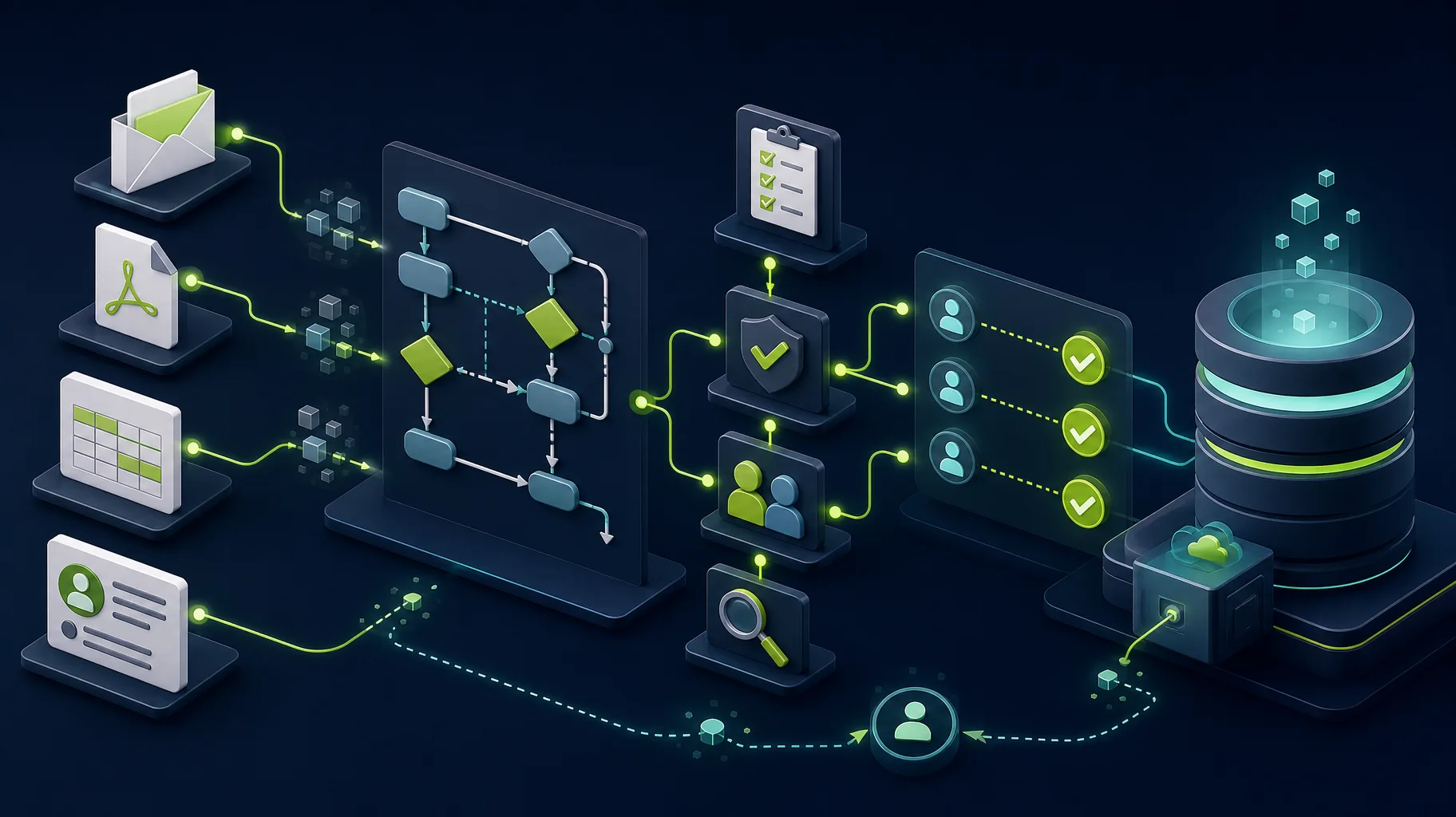
A simple workflow map might look like this:
Customer email -> shared inbox -> office manager copies details into CRM -> dispatcher validates address and availability -> job system creates a ticket -> technician uploads photos -> billing creates the invoice.
The audit marks the trigger, owner, validation point, source of truth, handoff, exception path, and final outcome. That is the difference between a real workflow map and a vague process description.
Decide what AI should and should not do
AI can be useful in manual data entry automation, but only inside boundaries.
Good AI jobs include:
- Extracting fields from emails, notes, PDFs, or inconsistent text.
- Summarizing long requests for staff review.
- Classifying a request by type, urgency, or department.
- Drafting a response based on approved templates.
- Flagging records that appear incomplete or unusual.
- Turning operational data into a plain-language report.
Risky AI jobs include:
- Making final pricing decisions without review.
- Approving or rejecting customers automatically.
- Updating financial or regulated records without validation.
- Sending customer-facing answers with no human checkpoint.
- Overwriting source-of-truth data when confidence is low.
The practical pattern is human-in-the-loop automation. Let software prepare, validate, route, and summarize. Let people approve high-impact decisions.
If the workflow touches financial, health, legal, payroll, or sensitive customer data, the audit should also define access controls, audit logs, retention rules, and rollback steps. AI should not become an invisible shortcut around the controls the business already needs.
Manual data entry automation patterns
Most small-business data entry automations fall into a few repeatable patterns.
| Pattern | What changes | Practical first version |
|---|---|---|
| Form to CRM | Website or internal form creates clean CRM records | Replace email intake with structured fields and validation |
| Email to workflow queue | Incoming email becomes a trackable request | Extract sender, topic, deadline, and attachments for review |
| PDF or document intake | Staff stop retyping document fields manually | Extract key fields and show confidence before saving |
| Spreadsheet reconciliation | Duplicate sheets are replaced or synced | Define source of truth and automate field updates |
| Status reporting | Updates are generated from operational records | Build dashboard plus AI-assisted summary |
| Quote or job setup | Customer details flow into quote, job, or project records | Pull known fields forward and flag missing information |
These patterns can start simple. A business does not need a large custom platform to prove value. It needs the first workflow to become clearer, faster, and easier to audit.
Choose the right level of automation
The audit should not assume custom software is the answer. It should compare options and recommend the smallest reliable fix.
| Option | Choose it when | Watch out for |
|---|---|---|
| Process change | The problem is unclear ownership, missing required fields, or inconsistent rules | Software will only make the confusion faster |
| Structured form | The same request arrives through messy emails, calls, or messages | Staff may need help changing intake habits |
| No-code workflow | The process is simple, low-risk, and does not need deep system logic | No-code tools can become fragile when exceptions grow |
| Direct integration | Two systems need to share clean, predictable records | Field mapping, duplicate handling, and API limits matter |
| AI-assisted queue | Inputs are unstructured but still need human review | Confidence, validation, and exception handling must be visible |
| Custom workflow app | The workflow is core to revenue, customer experience, or operational control | Scope must be tightly defined before the build starts |
This decision is where the audit protects the budget. The right first step may be a form, a Zapier-style workflow, a CRM cleanup, an API integration, an AI review queue, or a custom Laravel and Vue application.
Red flags that the project needs more planning
Pause before implementation if you see these issues:
- Every team describes the workflow differently.
- No one can name the source of truth.
- Required fields change depending on who is working.
- Staff disagree on who owns exceptions.
- The business wants AI to make decisions it cannot explain.
- Success is described as “modernize operations” instead of a measurable result.
- The automation depends on a spreadsheet that no one maintains.
These are not reasons to abandon automation. They are reasons to do the workflow audit first.
What an audit usually takes
For Somnio’s current packaging, a focused workflow audit is usually delivered in 1 week for $1,500-$2,000 when the scope is clear. A workflow that crosses multiple departments, systems, or compliance requirements may need a separate scope before implementation.
The important point is that the audit should be fixed in scope. Before it starts, you should know:
- Which workflow is being reviewed.
- Who needs to be interviewed.
- Which systems or sample records need to be inspected.
- What deliverables you will receive.
- Whether implementation is separate from the audit.
- How the first automation opportunity will be estimated.
If a vendor cannot explain whether the audit is a fixed-scope discovery project or an open-ended consulting engagement, pause before committing.
What a useful workflow audit should produce
A useful audit produces implementation decisions, not just observations.
For a manual data entry workflow, the deliverables should include:
- A workflow map from trigger to final outcome.
- A list of systems involved and which one is the source of truth.
- A field inventory with required, optional, derived, and risky fields.
- A ranked list of automation opportunities.
- A recommendation for no-code, integration, AI-assisted tool, or custom build.
- Human review points for risky decisions.
- A first-scope implementation plan with exclusions.
- Success metrics such as hours saved, response time, error rate, or faster billing.
A useful audit should stand on its own. You should understand the process, risks, options, and first implementation scope even if you decide not to build immediately.
At Somnio, this is the kind of work that protects the budget. The goal is to define the smallest safe automation before writing code. Sometimes that leads to a focused integration. Sometimes it leads to an internal Laravel and Vue application. Sometimes it shows that the business needs a process change before software.
All three outcomes are better than building the wrong AI feature.
When custom software becomes the right answer
Custom software is worth considering when the workflow is core to how the business makes money or serves customers.
It should not be the default recommendation. It becomes the right answer when smaller fixes cannot give the business enough control, visibility, or reliability.
Signals include:
- The workflow crosses multiple tools that do not integrate well.
- Staff need a single screen to see status, documents, history, and next actions.
- Existing tools force the business to work around their limitations.
- The process needs customer portals, roles, permissions, dashboards, or mobile access.
- Ownership matters because the workflow is a competitive advantage.
That is when a custom workflow application, AI-assisted internal tool, or 12-week AI MVP may be the better long-term investment.
The audit still comes first. It defines the launch scope, avoids open-ended feature creep, and clarifies which parts should be deterministic software versus AI assistance.
Get the workflow audit done for you
Somnio Tech Solutions provides affordable AI automation services for small businesses that want to eliminate manual data entry without committing to a large transformation project. The service is designed for invoice intake, CRM updates, PDF or email extraction, spreadsheet reconciliation, recurring reporting, and other workflows where staff copy or validate the same information across systems. The fixed-scope Workflow Audit costs $1,500-$2,000 and is usually delivered in 1 week. Somnio maps the current process, identifies the source of truth and risky handoffs, ranks the top 3 automation opportunities, estimates ROI, and recommends the smallest reliable solution. Somnio separates deterministic business rules from AI-based extraction, classification, and summarization while retaining human review for sensitive or low-confidence decisions. If the audit supports implementation, the separate 30-day AI Implementation Sprint costs $4,500-$5,000 for one workflow fully automated, deployed, documented, and handed off to the team.
- Somnio audits manual data entry across email, PDFs, forms, spreadsheets, CRMs, accounting tools, APIs, and internal systems.
- A senior software architect distinguishes process fixes, integrations, deterministic automation, and AI-assisted steps before recommending a build.
- The audit stands on its own; implementation is estimated and approved separately, so you keep the workflow map and recommendations either way.
| Somnio service | Fixed price | Timeline | Deliverable |
|---|---|---|---|
| Workflow Audit | $1,500-$2,000 | 1 week | Workflow assessment, top 3 AI automation opportunities, ROI roadmap, and 60-minute debrief |
| AI Implementation Sprint | $4,500-$5,000 | 30 days | One workflow automated, deployed, documented, and ready for the team to operate |
Book a Somnio workflow audit to share the manual process, systems, and bottleneck you want reviewed. You can also review Somnio’s AI consulting approach and packages before booking.
Related resources
- AI consulting and workflow automation for deciding where AI belongs in an operational workflow.
- Laravel integrations for connecting CRMs, ERPs, accounting systems, and internal tools.
- AI-assisted software development process for understanding how Somnio scopes and builds software.
- AI savings calculator for estimating the value of reducing manual work.
- 12-week AI MVP development package for cases where the audit points to a custom AI-assisted product or internal tool.